
Keys & electronicsMazda Demio DJ5FS
Mazda Demio DJ5FS: Replace the CR2025 Advanced-Key Battery
Replace the Mazda Demio DJ5FS key's CR2025 safely with a protected tool and attention to the cap and rubber sealing ring, following the Mazda DJ owner's manual.
- Time
- 10–15 minutes
- Difficulty
- Easy
- Tools
- 3 needed
- Instructions
- 7 steps · illustrated
Applies to Mazda Demio DJ5FS · 2018–2019. Mazda Demio DJ5FS using the older DJ-generation Mazda key design illustrated in the referenced owner's-manual edition; not the later Mazda2 B-type key.. Always compare the described parts, labels and specifications with your own vehicle and manual.
Tools and materials
- CR2025 replacement coin cell
- Small flat-head screwdriver covered in protective tape
- Clean soft cloth
Illustrated instructions
Follow these steps
Follow each documented action alongside its supporting visual. If a component or label looks different on your car, stop and check your own manual.
- Step 1 of 7
Confirm the original DJ5FS key and CR2025 type
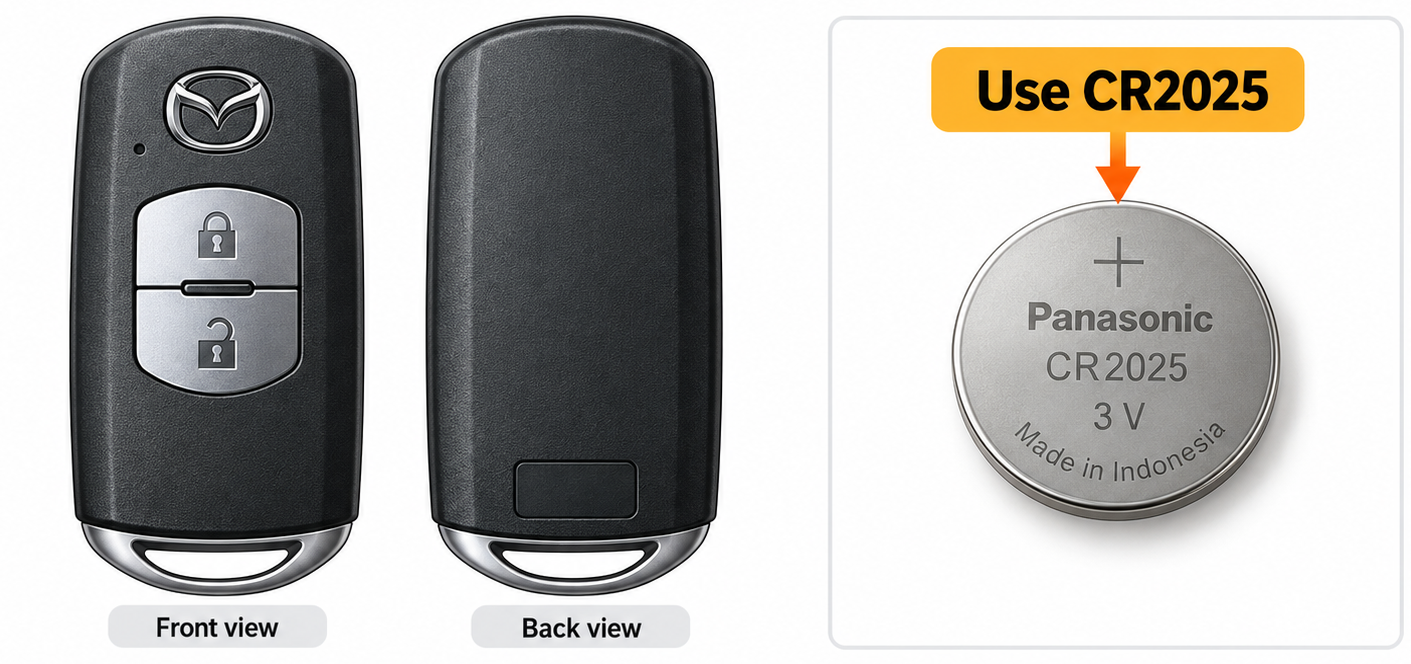
Instructional illustration · compare with your own vehicle and its manual Match your key case to Mazda's Demio DJ owner-manual illustration. The specified cell is CR2025 for that key; later Mazda2 DJ generations can use different key types and CR2032.
Check before moving onAll steps ↑The key case matches and CR2025 is verified.
- Step 2 of 7
Clear a safe workspace and remove the auxiliary key
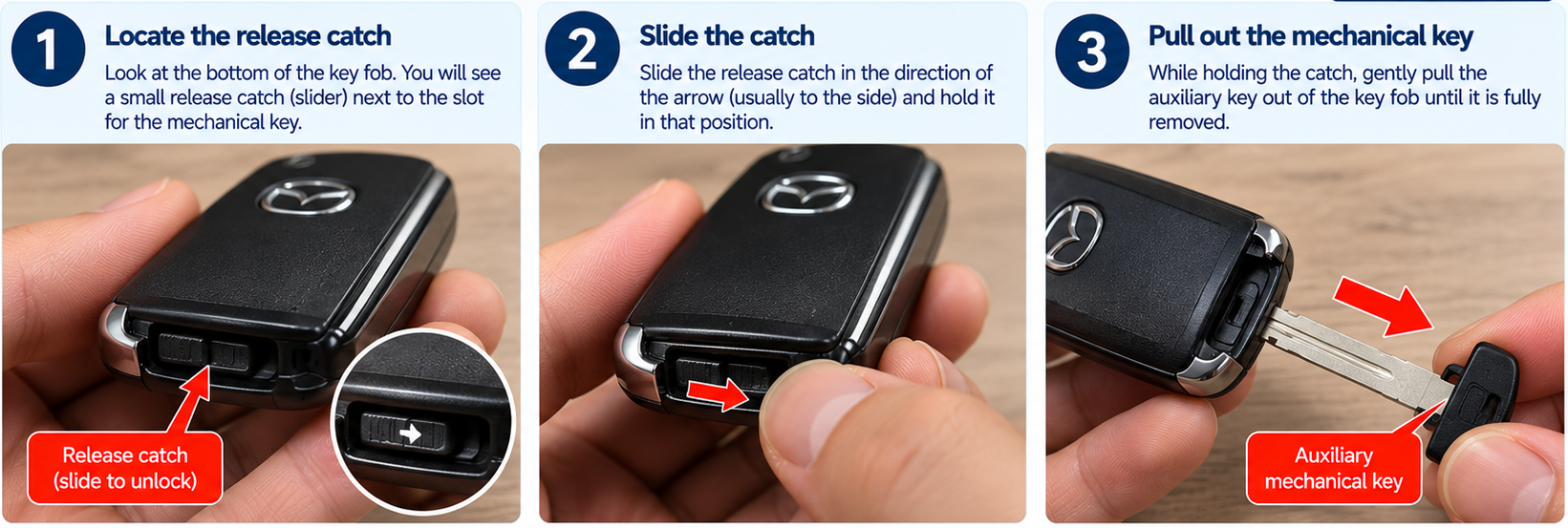
Instructional illustration · compare with your own vehicle and its manual Place the key on a dry table. Press the knob and withdraw the auxiliary metal key. Keep the loose battery away from children and pets.
Check before moving onAll steps ↑Auxiliary key is removed without straining its release.
- Step 3 of 7
Loosen the first case seam
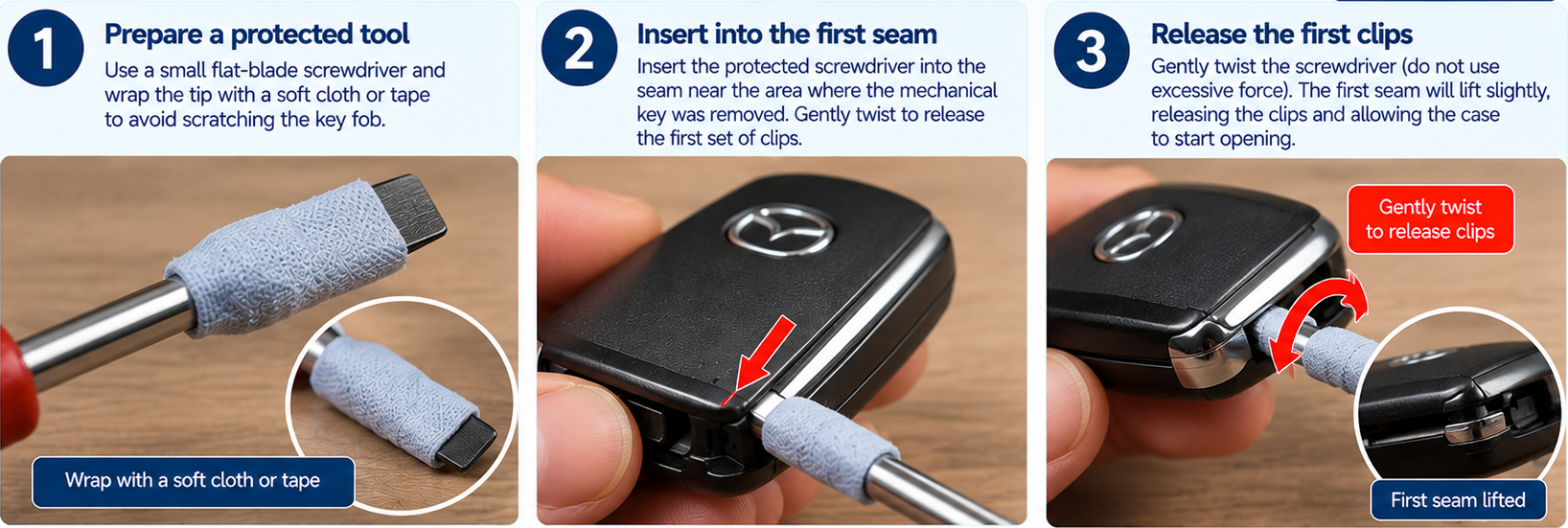
Instructional illustration · compare with your own vehicle and its manual Wrap the tip of a small flat screwdriver with tape. Turn it carefully at the opening point Mazda indicates, lifting the cover a little without gouging its edges.
Check before moving onAll steps ↑A small gap opens without a cracked case.
- Step 4 of 7
Slide and turn the screwdriver to remove cover
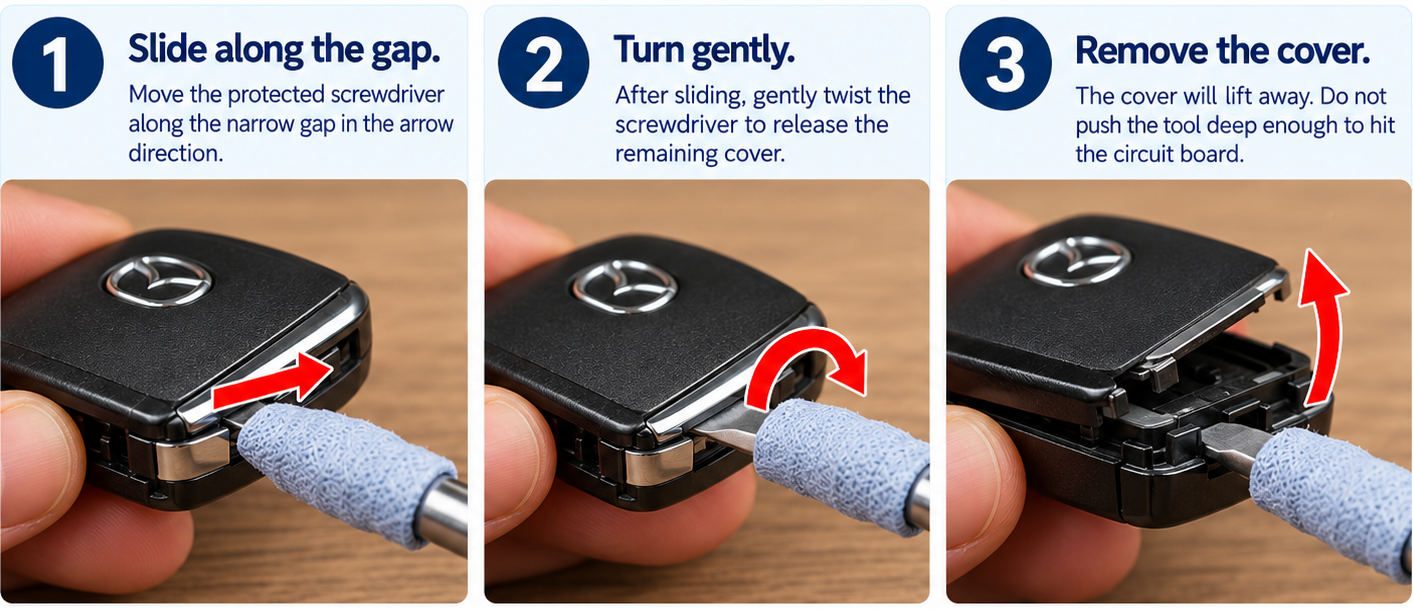
Instructional illustration · compare with your own vehicle and its manual As Mazda describes, move the protected screwdriver along the narrow gap in the arrow direction and then turn gently to release the rest of the cover. Do not push the tool deep enough to hit the circuit board.
Check before moving onAll steps ↑Housing halves are free and electronics untouched.
- Step 5 of 7
Lift the cap and replace the CR2025
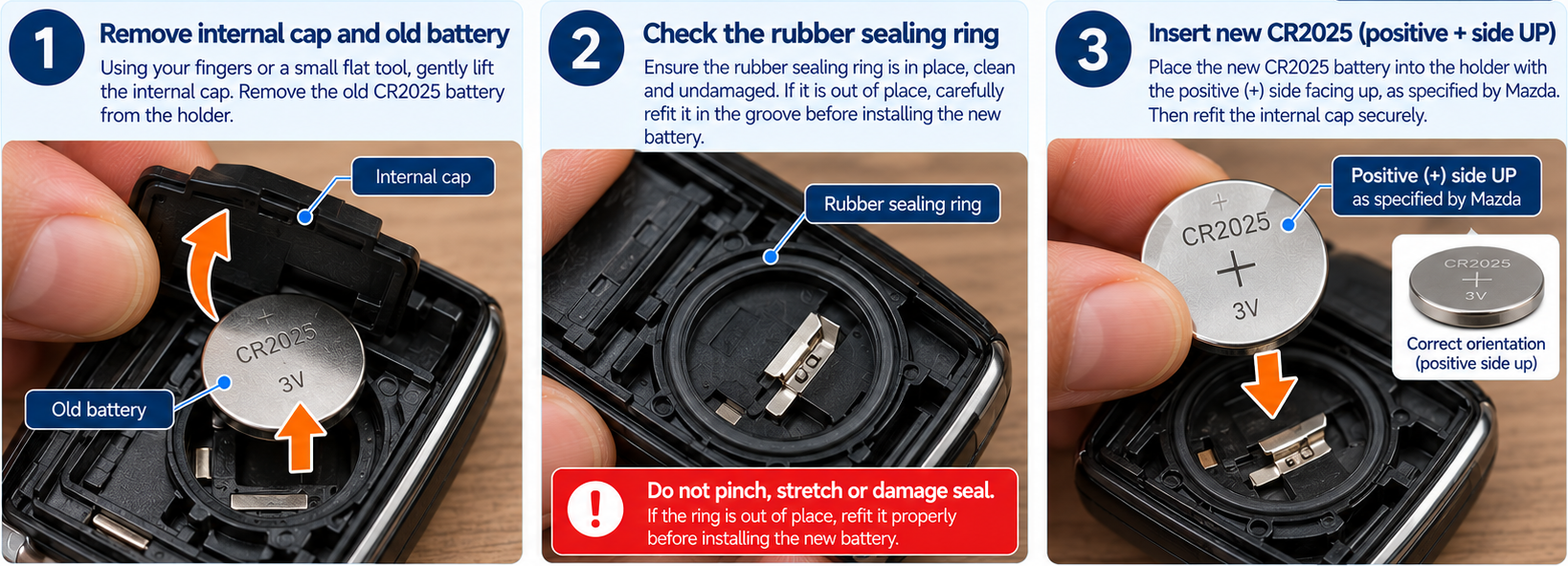
Instructional illustration · compare with your own vehicle and its manual Remove the internal cap and the discharged cell. Check and preserve the rubber sealing ring. Insert a new CR2025 in the documented positive-facing orientation, then replace the cap. Do not disturb the internal circuit or electrodes.
Check before moving onAll steps ↑CR2025 is secured; cap and rubber ring remain correctly positioned.
- Step 6 of 7
Reclose cover and auxiliary key
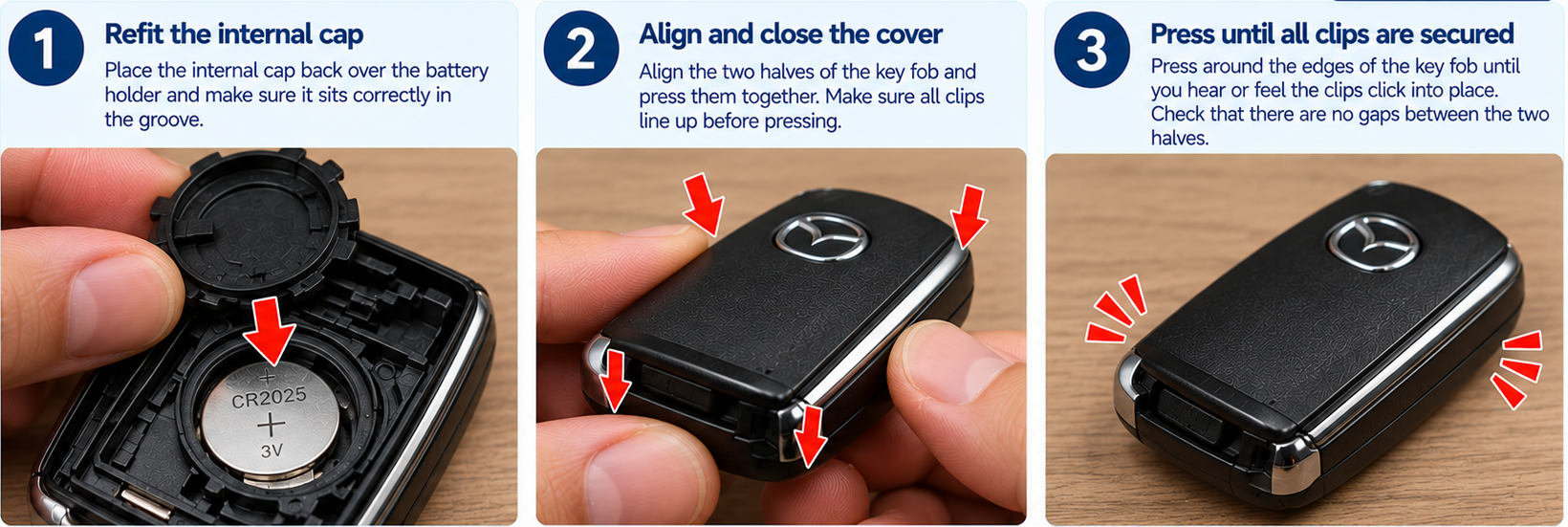
Instructional illustration · compare with your own vehicle and its manual Press the cover flush and return the metal key insert. Check every edge is seated and no rubber ring is pinched.
Check before moving onAll steps ↑Case closes fully and insert stays latched.
- Step 7 of 7
Test key functions
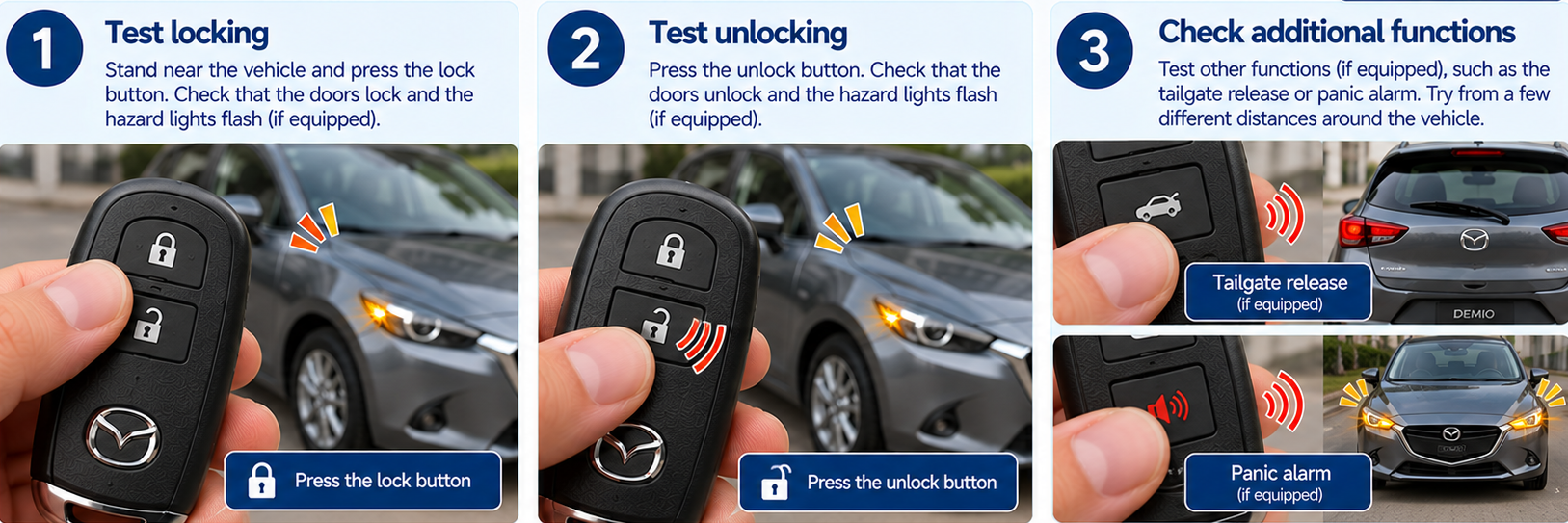
Instructional illustration · compare with your own vehicle and its manual Use lock and unlock within normal range and check key indicator response. Mazda advises consulting a dealer if the fob does not operate after replacement.
Check before moving onAll steps ↑Key responds normally and the case remains closed.
References & limitations
Where these instructions come from
Mazda Demio DJ5FS using the older DJ-generation Mazda key design illustrated in the referenced owner's-manual edition; not the later Mazda2 B-type key.
This edition specifies CR2025. Later Mazda2 DJ manual editions document both A-type CR2025 and B-type CR2032; do not transfer that to this key.
Mazda official owner manual ↗Manual section: Mazda Demio DJ online owner manual, '電池交換' / key battery replacement (05040101), CR2025 steps: auxiliary key, taped screwdriver, cap, positive orientation, rubber ring.
Instructions checked against manufacturer documentation; not a physical inspection of every vehicle.
Illustrations explain the general action. They are not photographs or proof of exact component geometry.